
If you tried to jump into a game today only to get stuck at the sign-in screen, you’re definitely not alone. Xbox Live is experiencing an outage right now, with players reporting login problems across Xbox consoles, PC, and mobile.
Reports began picking up around 1 PM BST on September 2, with hundreds of players quickly reporting similar issues online. Xbox has acknowledged the problem and says its team is investigating.
Here’s what we know so far, including the error players are seeing and what you can do if Xbox Live isn’t letting you sign in.
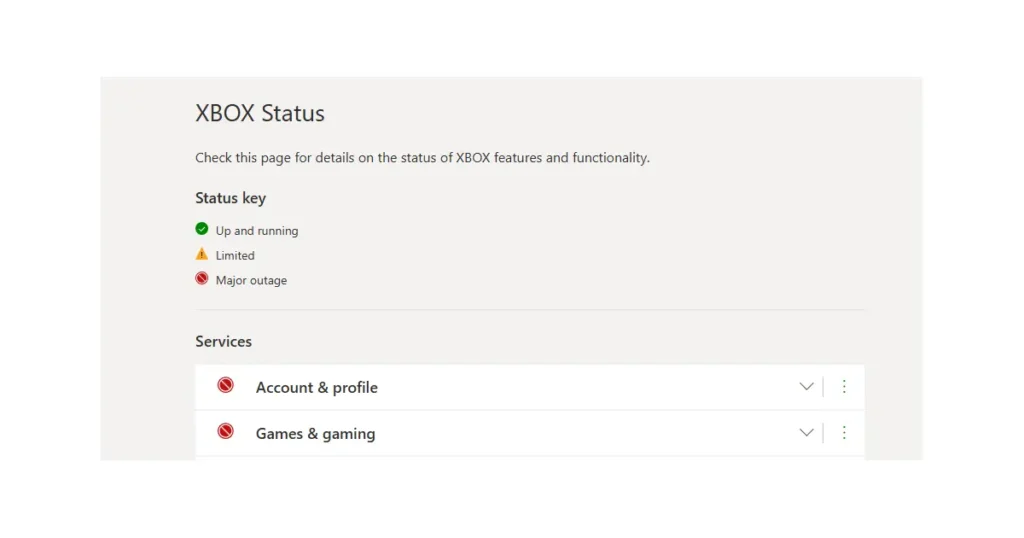
Xbox Live Is Having Sign-In Problems
Players attempting to log in are being greeted with the message: “We couldn’t sign you in to Xbox Live.”
Some users are also reporting problems when trying to create new Xbox accounts.
What makes the situation a little confusing is that the outage doesn’t appear to be affecting everyone in the same way. Some players can use Xbox Live normally on their console but run into errors on the Xbox app for PC or mobile. Others are experiencing the problem on their console instead.
There are also players who say everything is working normally.
That uneven behavior points toward an authentication or server-side issue, where the impact can vary depending on the platform, region, or account connection being used.
Xbox Has Acknowledged the Outage
Xbox Support has confirmed that it is aware of the issue.
The company says some users are encountering errors while trying to sign in or create an account. Xbox has asked affected players to be patient while its team investigates what’s going wrong.
So far, there’s no confirmed timeline for when everything will be back to normal. Xbox says it will provide more information once it has an update.
How to Check Xbox Live’s Status
If you’re wondering whether Xbox Live is still down, there are a few places worth checking.
- Official Xbox Live status page: This is the best place to check for problems with sign-in, multiplayer, the store, and other Xbox services.
- Xbox Support on X: Xbox often posts updates when a major service disruption is underway.
- Outage-tracking websites: These can show a sudden spike in reports from other users, although they aren’t official sources.
One thing to remember is that Microsoft’s official status page may take a little time to reflect a developing outage. So if you’re seeing login errors but the status page looks normal, you may still be dealing with the same Xbox-side problem.
What to Do If Xbox Live Won’t Let You Sign In
If the problem is caused by Xbox’s servers, there isn’t much you can do to fix it yourself. Still, a few quick checks can help make sure the problem isn’t on your end.
Try these steps:
- Restart your Xbox console, PC, or Xbox app.
- Check that your internet connection is working properly.
- Try signing in from another device.
- If possible, switch between the Xbox app and your console to see whether the issue is platform-specific.
- Give it some time and try again later.
If you’re getting the same sign-in error across multiple devices, that’s a strong sign that the problem is connected to Xbox’s services rather than your console, internet connection, or account.
Why Does Xbox Live Keep Going Down?
This isn’t the first Xbox Live disruption we’ve seen this year. Sign-in and authentication problems have occurred several times, with many of them caused by issues on Microsoft’s server side.
These outages can be especially noticeable because Xbox services are tied into so many parts of the gaming experience. A problem with authentication can prevent players from signing in, accessing online multiplayer, or using other connected features.
Most outages are eventually resolved within a few hours, although the exact recovery time depends on what’s causing the problem.
Xbox Live Outage: What’s Next?
For now, there doesn’t appear to be a problem with your console if you’re seeing the “We couldn’t sign you in to Xbox Live” message. Xbox has confirmed that some users are having trouble signing in and creating accounts, and its team is investigating.
The best option is to keep an eye on Xbox’s official updates and try signing in again later. If the issue is server-side, restarting your console repeatedly won’t magically fix Microsoft’s servers.
We’ll update this story as more information becomes available.
For more breaking gaming news, Xbox updates, guides, and troubleshooting tips, keep checking GamerUrge.