

Grand Theft Auto 6 is almost here, and players have just a little more time to prepare their consoles before Rockstar Games opens the preload. With a download requirement of up to 212 GB, installing GTA 6 could take quite a while, especially if your internet connection isn’t particularly fast.
Fortunately, there are a few things you can do before downloading the game. Whether you’re playing on PlayStation 5 or Xbox Series X|S, preparing your console in advance can help you avoid storage problems, installation delays, and unnecessary troubleshooting.
Rockstar has confirmed that GTA 6 preloading begins on November 10, 2026, ahead of its November 19 release. Here are five important things you should do before installing GTA 6.
1. Free Up Storage Space for GTA 6
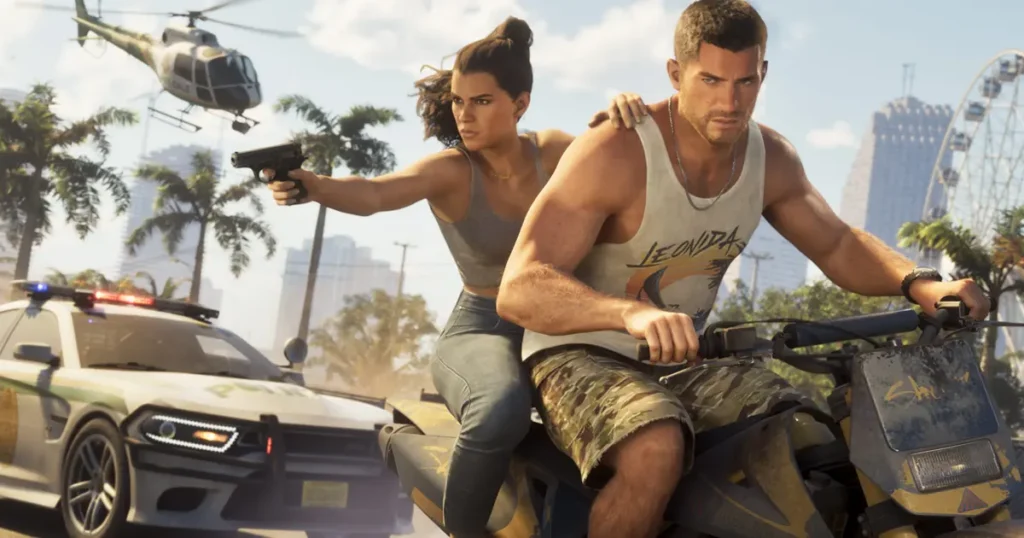
The first thing you should do before installing GTA 6 is check your console’s available storage. Rockstar has confirmed that the game’s preload requires up to 212 GB of free space, depending on the device.
That’s a considerable amount of storage, particularly if you have several large games installed on your console. If you’re running low on space, now is a good time to remove games you no longer play.
You should also understand which storage options support playing GTA 6.
- PS5: You can play PS5 games from the console’s internal SSD or a compatible M.2 NVMe SSD. Games stored on ordinary USB extended storage must be copied back to compatible console storage before playing.
- Xbox Series X|S: You can play compatible games from the internal SSD or an official Storage Expansion Card. Standard USB external drives can store games, but generally cannot run optimized Series X|S titles directly.
If you already own an additional compatible SSD or expansion card, check its available capacity before downloading the game.
Don’t wait until November 10 to start deleting games. Freeing up storage beforehand will make the preload process much easier.
2. Know the GTA 6 Preload Date and Time
Knowing when GTA 6 becomes available for preloading is just as important as having enough storage.
Rockstar Games has confirmed November 10, 2026, as the digital preload date. However, PS5 and Xbox players will have different download schedules.
- PS5: Digital preloading begins at midnight local time on November 10 in the respective PlayStation Store region.
- Xbox Series X|S: Digital preloading begins globally at 12:00 AM GMT on November 10.
This means Xbox players in some countries can start downloading GTA 6 on November 9, while others will get access on November 10.
GTA 6 Preload Times by Country and Region
Here is the worldwide preload schedule for major gaming markets:
| Country / Region | PS5 Preload | Xbox Preload |
|---|---|---|
| USA (Eastern) | Nov 10, 12 AM ET | Nov 9, 7 PM ET |
| USA (Central) | Nov 10, 12 AM CT | Nov 9, 6 PM CT |
| USA (Mountain) | Nov 10, 12 AM MT | Nov 9, 5 PM MT |
| USA (Pacific) | Nov 10, 12 AM PT | Nov 9, 4 PM PT |
| Canada (Eastern) | Nov 10, 12 AM | Nov 9, 7 PM |
| UK | Nov 10, 12 AM GMT | Nov 10, 12 AM GMT |
| Germany | Nov 10, 12 AM CET | Nov 10, 1 AM CET |
| France | Nov 10, 12 AM CET | Nov 10, 1 AM CET |
| Spain | Nov 10, 12 AM CET | Nov 10, 1 AM CET |
| India | Nov 10, 12 AM IST | Nov 10, 5:30 AM IST |
| Japan | Nov 10, 12 AM JST | Nov 10, 9 AM JST |
| South Korea | Nov 10, 12 AM KST | Nov 10, 9 AM KST |
| Australia (Sydney) | Nov 10, 12 AM AEDT | Nov 10, 11 AM AEDT |
| New Zealand | Nov 10, 12 AM NZDT | Nov 10, 1 PM NZDT |
| Brazil (Brasília) | Nov 10, 12 AM BRT | Nov 9, 9 PM BRT |
| Mexico (Mexico City) | Nov 10, 12 AM CST | Nov 9, 6 PM CST |
All times are local to the listed representative time zones. PS5 availability follows the local time of the respective PlayStation Store region, while Xbox uses one global start time.
For US players, the Xbox preload begins on the evening of November 9. Players on the East Coast can start downloading at 7 PM ET, while those on the West Coast can begin at 4 PM PT.
PS5 players should check their PlayStation Store pre-order countdown to confirm the exact availability for their account region.
There is another important detail for physical buyers. GTA 6 physical retail versions are expected to use a code-in-box format rather than a traditional game disc. Rockstar says these versions should become available from November 12.
That means physical buyers will need to redeem their download codes before installing the game.
3. Update Your Console Before Downloading GTA 6
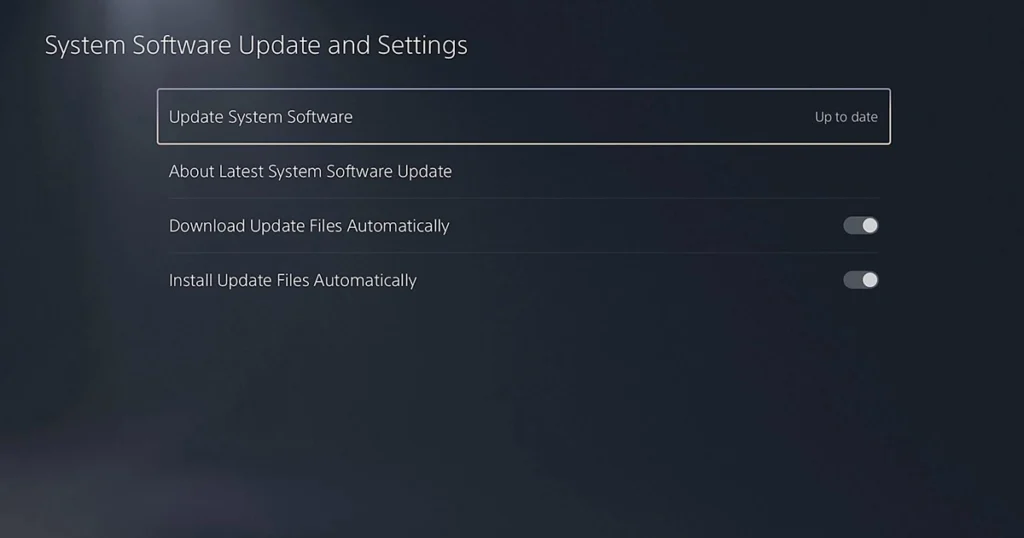
You don’t want to start downloading GTA 6 only to discover that your console needs a mandatory system update first.
An outdated system can prevent you from accessing online services or starting certain downloads until the update is installed. If you haven’t turned on your PS5 or Xbox in a while, check for pending updates now.
How to check for updates on PS5:
- Open Settings.
- Select System.
- Choose System Software.
- Open System Software Update and Settings.
- Select Update System Software if an update is available.
How to check for updates on Xbox Series X|S:
- Press the Xbox button on your controller.
- Open Profile & System.
- Select Settings.
- Go to System.
- Select Updates and install any available updates.
You should also test your internet connection before the preload begins. A download of up to 212 GB can take several hours, depending on your internet speed.
For example, a 212 GB download could take approximately:
| Internet speed | Estimated download time |
|---|---|
| 50 Mbps | 9.4 hours |
| 100 Mbps | 4.7 hours |
| 200 Mbps | 2.4 hours |
| 500 Mbps | 57 minutes |
These are theoretical estimates. Actual download times can be longer because of network congestion, Wi-Fi performance, and server speeds.
Getting your console updated and checking your connection beforehand can save you valuable time.
4. Enable Automatic Downloads on PS5 and Xbox
Not everyone will be available when GTA 6 preloading begins. You might be working, sleeping, or simply away from your console when the download becomes available.
Thankfully, both PlayStation 5 and Xbox Series X|S support automatic downloads. You just need to configure the appropriate settings.
PS5 automatic downloads
If you’ve pre-ordered GTA 6 digitally, follow these steps:
- Open Settings on your PS5.
- Go to Saved Data and Game/App Settings if needed to check your game settings, and open your pre-order through the Game Library.
- Select GTA 6 and check its automatic download settings.
- Make sure automatic downloads are enabled.
- Go to Settings, System, Power Saving, and Features Available in Rest Mode.
- Enable Stay Connected to the Internet.
Your PS5 must be powered on or in Rest Mode with the required internet and automatic download settings enabled for the preload to happen automatically.
Xbox automatic downloads
If you’re playing on Xbox Series X|S, check your console’s update and power settings to make sure GTA 6 can download automatically.
- Press the Xbox button on your controller.
- Open Profile & System and select Settings.
- Go to System and open Updates.
- Make sure automatic updates are enabled.
- Return to Settings and open Power Options.
- Select Sleep to allow your console to download updates while it’s turned off.
Keep in mind that a console using Shutdown mode won’t download games while powered off. Choosing Sleep mode can help your Xbox download GTA 6 without requiring you to leave it fully switched on.
Once everything is configured, your console can handle the GTA 6 preload without requiring you to manually start the download.
5. Clean Your Console and Check Its Ventilation
This last step might not seem directly related to installing GTA 6, but it’s worth doing before spending long hours playing the game.
If your PS5 or Xbox has been sitting in the same entertainment cabinet for years, dust may have accumulated around its ventilation openings. Poor airflow can contribute to overheating, especially during extended gaming sessions.
Before GTA 6 launches, take a few minutes to clean your console.
Here are some things you should do:
- Turn off the console and disconnect its power cable before cleaning.
- Remove visible dust around the ventilation openings.
- Use a suitable vacuum or cleaning tool according to the manufacturer’s instructions.
- Keep the console away from enclosed spaces that restrict airflow.
- Avoid placing your console on thick carpets or covering its ventilation openings.
Sony recommends keeping the PS5 at least four inches away from walls and avoiding placement on long-fiber carpets. Microsoft also provides ventilation guidance for Xbox Series X|S consoles.
You don’t need to dismantle your console for routine cleaning. Just make sure its ventilation openings aren’t blocked and that it has enough room to release heat.
A little maintenance now can help keep your console in good condition throughout your GTA 6 gaming sessions.
When Does GTA 6 Release?

Rockstar Games has officially scheduled Grand Theft Auto 6 for November 19, 2026, on PlayStation 5 and Xbox Series X|S.
The game takes players back to Vice City, within the fictional state of Leonida. Its story follows Jason Duval and Lucia Caminos, two criminals whose lives become connected through a dangerous conspiracy.
Players will be able to explore the open world, take part in criminal activities, interact with characters, and experience Rockstar’s latest entry in the Grand Theft Auto franchise.
Here are the key dates to remember:
| Event | Date |
|---|---|
| PS5 digital preload | November 10, 2026 |
| Xbox digital preload | November 10, 2026 |
| Code-in-box availability | November 12, 2026 |
| GTA 6 release | November 19, 2026 |
The preload gives digital buyers several days to download the game before launch. However, remember that downloading the game early doesn’t mean you can play it before its official release time.
Bonus: Double-Check Your GTA 6 Purchase
Before the preload begins, make sure your GTA 6 purchase is confirmed.
If you’ve pre-ordered the digital version, check your PlayStation Store or Microsoft Store order history. Make sure you’re signed into the correct account and that the game appears in your library.
If you’ve purchased the physical code-in-box version, keep your download code safe. Remember that it doesn’t contain a disc, so you’ll still need to download the entire game.
It’s also worth checking which edition you’ve purchased. Rockstar offers Standard and Ultimate Editions, with the latter including additional in-game content.
A little preparation now can save you from dealing with account, activation, or download problems later.
Final Thoughts
Grand Theft Auto 6 is one of the biggest gaming releases of 2026, and preparing your console before launch can save you plenty of frustration.
Start by freeing up at least 212 GB of storage, check the preload schedule, install pending system updates, and enable automatic downloads. Don’t forget to clean your console and make sure it has proper ventilation.
These steps won’t take much time, but they’ll help you avoid common problems when you’re getting ready to explore Vice City.
Follow GamerUrge for more GTA 6 news, gaming updates, guides, and tips.