The GTA 6 preload is finally here. Rockstar Games has confirmed that players can download Grand Theft Auto 6 before its official November 19, 2026, release. The preload begins November 10 on PlayStation 5 and Xbox Series X|S, giving players time to install the massive game before launch.
However, PS5 and Xbox players won’t get access to the preload at exactly the same time. PS5 downloads unlock at midnight local time, while Xbox players follow a global schedule based on GMT. Rockstar has also confirmed that GTA 6 requires up to 212 GB of available storage space, so it’s worth preparing your console before starting the download.
Here’s everything you need to know about the GTA 6 preload date, start times, download size, and installation process.
GTA 6 Preload Date and Time

Rockstar Games has officially confirmed November 10, 2026, as the preload date for GTA 6. However, the exact start time depends on your platform.
PS5 players can begin downloading the game at midnight on November 10 in their respective local time zones. Xbox Series X|S players get access at 12:00 AM GMT on November 10, which means the preload actually begins on the evening of November 9 for players in the United States.
Here’s a breakdown of the preload schedule for major regions.
| Region | PS5 Preload | Xbox Preload |
|---|---|---|
| US Eastern Time (ET) | Nov 10, 12:00 AM | Nov 9, 7:00 PM |
| US Pacific Time (PT) | Nov 10, 12:00 AM | Nov 9, 4:00 PM |
| UK (GMT) | Nov 10, 12:00 AM | Nov 10, 12:00 AM |
| Central Europe (CET) | Nov 10, 12:00 AM | Nov 10, 1:00 AM |
| India (IST) | Nov 10, 12:00 AM | Nov 10, 5:30 AM |
| Australia (AEDT) | Nov 10, 12:00 AM | Nov 10, 11:00 AM |
Important: These are the announced regional start times. PS5 follows local midnight, whereas Xbox follows one global GMT schedule.
Players should also remember that a preload does not provide early access. You’ll still need to wait until the official launch time to play GTA 6.
Also read: GTA 6 Animals: Every Confirmed Species
How Big Is the GTA 6 Download Size?
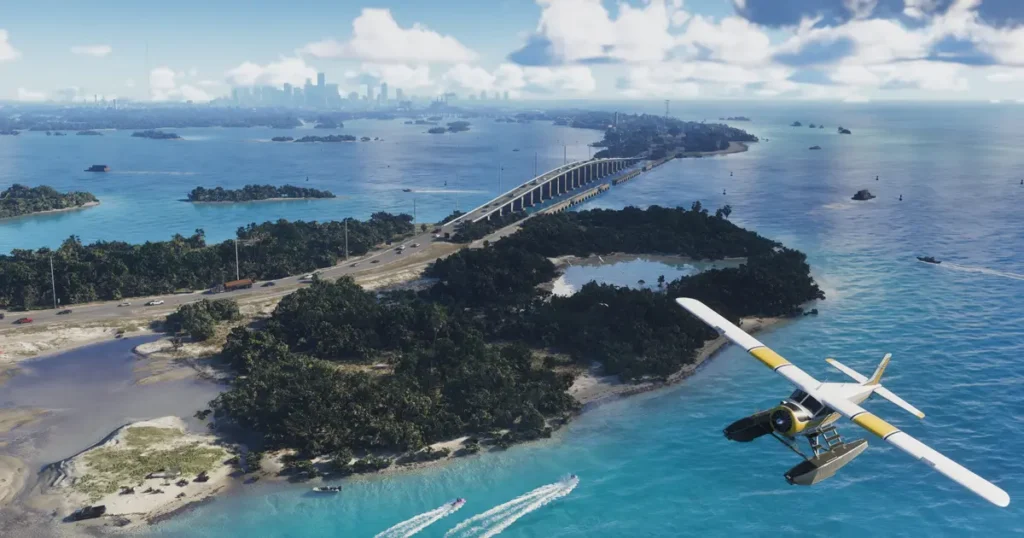
One of the biggest concerns surrounding GTA 6 is its storage requirement. Rockstar Games has confirmed that the preload will require up to 212 GB of available storage space, depending on the device.
That’s a considerable amount of space, especially for players who have several large games installed on their consoles.
Before starting the download, consider keeping some additional free space available for installation-related requirements and future updates.
Here are a few ways to prepare:
- Delete games you no longer play.
- Remove old gameplay recordings and screenshots.
- Check how much free storage your console has.
- Avoid downloading other large games at the same time.
- Use a stable internet connection.
- Keep your console connected to power during the download.
If your console doesn’t have enough free space, the GTA 6 preload may fail to start or complete.
How to Preload GTA 6 on PS5
PS5 players can download GTA 6 starting at midnight local time on November 10. If you’ve already pre-ordered the digital version, you can check your Game Library for the download option.
Follow these steps:
- Turn on your PlayStation 5.
- Sign in using the PlayStation Network account used for your pre-order.
- Open Game Library from the home screen.
- Select Your Collection.
- Find Grand Theft Auto VI.
- Select the game and choose Download when the option becomes available.
- Wait for the download and installation to finish.
Also read: Best Gaming Headsets for GTA 6
Enable Automatic Downloads on PS5
You can also prepare your PS5 to download GTA 6 automatically.
- Open Settings on your PS5.
- Select System.
- Go to System Software.
- Open System Software Update and Settings.
- Enable automatic download and installation options where available.
- Make sure your console can connect to the internet in Rest Mode.
Your PS5 must be powered on or in Rest Mode for automatic preloading to work.
If the download doesn’t start automatically, open your Game Library and start it manually.
For additional instructions, visit the official PlayStation pre-order download guide.
How to Preload GTA 6 on Xbox Series X|S
Xbox Series X|S players can also download GTA 6 before its official launch.
Unlike PS5, Xbox uses a single global preload schedule. The download starts at 12:00 AM GMT on November 10, which is 7:00 PM ET and 4:00 PM PT on November 9.
Here’s how to download GTA 6 on Xbox:
- Turn on your Xbox Series X or Series S.
- Sign in to your Xbox account.
- Open the Microsoft Store.
- Search for Grand Theft Auto VI.
- Open your existing pre-order.
- Check your Games and Apps library.
- Select GTA 6 and start the download when it becomes available.
Enable Automatic Updates on Xbox
To prepare your Xbox for automatic downloads, check the following settings:
- Press the Xbox button on your controller.
- Open Profile & System.
- Select Settings.
- Go to System.
- Open Updates.
- Make sure automatic updates are enabled.
Also, check your console’s power settings. Select Sleep if you want your Xbox to remain available for background updates while switched off.
Your Xbox must be powered on or in Sleep mode for automatic preloading to work.
Can You Play GTA 6 Immediately After Preloading?

No. Preloading GTA 6 only downloads the game files before the official release. It doesn’t unlock the full game or provide early access.
Even if you finish downloading all 212 GB before November 19, you’ll have to wait until Rockstar activates the game.
Rockstar has confirmed that Grand Theft Auto VI will launch at midnight local time on November 19, 2026, for both PS5 and Xbox Series X|S.
The main benefit of preloading is simple: you won’t have to wait for a massive download when the game officially launches.
Is GTA 6 Preload Available on PC?
No PC preload date has been announced in Rockstar’s official preload information.
The confirmed launch platforms are PlayStation 5 and Xbox Series X|S. Rockstar’s official website currently lists these two consoles for GTA 6.
PC players should wait for an official announcement rather than trusting unofficial download links or websites claiming to offer GTA 6 PC files.
Downloading unofficial game installers can expose your computer to malware and fake files.
What About Physical Copies of GTA 6?
Players planning to purchase a physical version should pay attention to one important detail.
According to PlayStation’s official GTA 6 support information, the physical Standard Edition is a code-in-box version. It contains a download code rather than a traditional game disc.
This means physical buyers will also need to download the game using the supplied code.
PlayStation’s support information says these physical code-in-box versions are intended to support preloading. Make sure you check the instructions provided by your retailer before attempting to redeem your code.
GTA 6 Release Date and Platforms

Grand Theft Auto VI is the next mainline entry in Rockstar Games’ hugely popular open-world franchise.
The game takes players back to Vice City, located in the fictional state of Leonida. Its story follows Jason and Lucia, two criminals caught in a dangerous conspiracy.
Here are the confirmed launch details:
- Game: Grand Theft Auto VI
- Developer: Rockstar Games
- Release Date: November 19, 2026
- Preload Date: November 10, 2026
- Preload Size: Up to 212 GB
- Platforms: PS5 and Xbox Series X|S
- Main Characters: Jason and Lucia
- Main Setting: Vice City, Leonida
- Genre: Open-world action-adventure
The game is currently confirmed for current-generation PlayStation and Xbox consoles. Rockstar has not announced an official PC release date.
GTA 6 Preload: Frequently Asked Questions
1. When does GTA 6 preload start?
GTA 6 preload starts November 10, 2026. PS5 players can download it at midnight local time, while Xbox players get access globally at 12:00 AM GMT.
2. What time does GTA 6 preload start in the US?
On PS5, the preload starts at midnight local time on November 10. Xbox players can start downloading at 7:00 PM ET or 4:00 PM PT on November 9.
3. How many GB is GTA 6?
Rockstar has confirmed that GTA 6 requires up to 212 GB of available storage space, depending on the device.
4. Can I preload GTA 6 on Xbox Series S?
Yes. GTA 6 preload is available on Xbox Series X and Xbox Series S.
5. Can I play GTA 6 after downloading the preload?
No. Downloading the game early doesn’t unlock it. Players must wait until the official November 19 release.
6. Is GTA 6 coming to PC?
Rockstar has not announced a PC release date. The currently confirmed launch platforms are PS5 and Xbox Series X|S.
7. Can I preload GTA 6 without pre-ordering?
Rockstar’s preload instructions are intended for players with a digital pre-order or a valid physical code-in-box redemption. You should check your platform’s purchase and download options.
8. Can I preload GTA 6 using an external hard drive?
Rockstar’s official preload FAQ specifies the required available storage but does not provide a universal external-drive compatibility guarantee. Check your console’s installation requirements before choosing a storage device.
Final Thoughts
The GTA 6 preload gives players a useful head start before one of the biggest game launches of 2026. With the download requiring up to 212 GB, preparing your console ahead of time is a smart move.
PS5 players get access at midnight local time on November 10, while Xbox Series X|S players can start downloading at 12:00 AM GMT. Once the download finishes, all that’s left is to wait for November 19.
Are you playing GTA 6 on PS5 or Xbox? Let us know in the comments. Follow GamerUrge for the latest GTA 6 news, gaming guides, updates, and announcements.