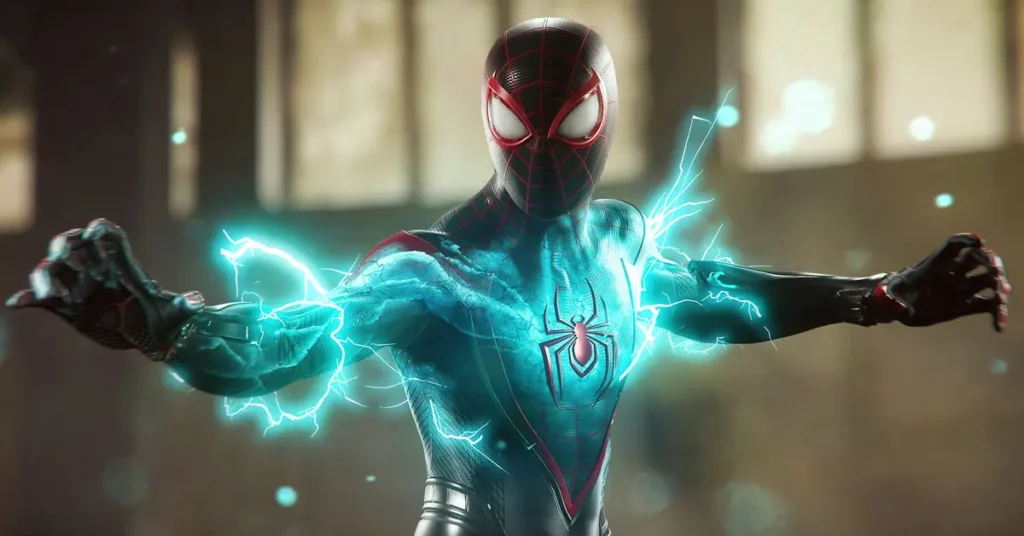
PlayStation fans, get ready to swing into action! The PlayStation Plus February 2026 lineup is shaping up to be one of the most exciting months yet, with Marvel’s Spider-Man 2 leading the charge. Thanks to a reliable leak and an upcoming official announcement, we now know what’s headed to the Game Catalog this month.
The Big Reveal: Spider-Man 2 Joins PS Plus Extra
If you’ve been holding off on buying Marvel’s Spider-Man 2, your patience is about to pay off. The blockbuster PS5 exclusive is coming to PlayStation Plus Extra and Premium on February 17, 2026.
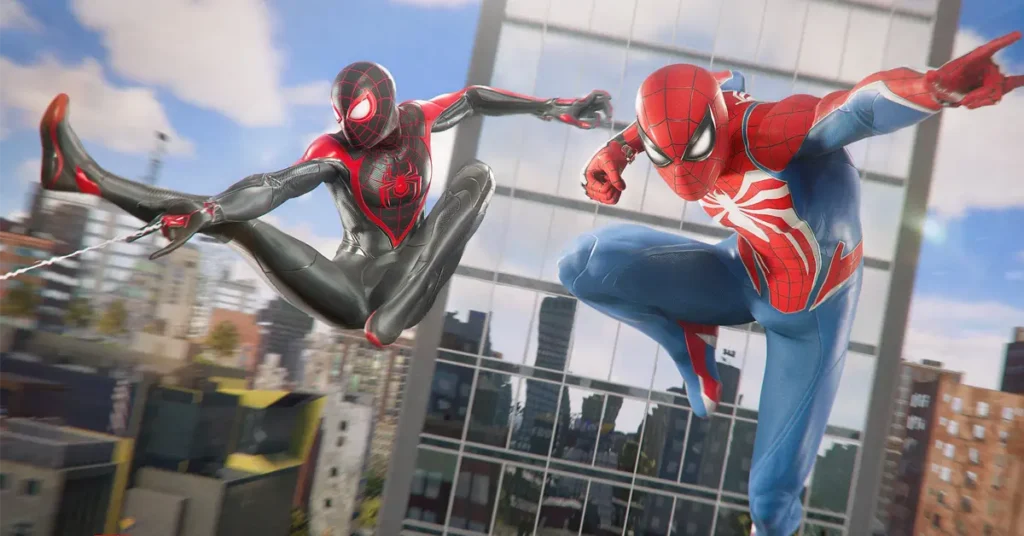
This is massive news for subscribers. Spider-Man 2 was one of the biggest releases when it launched, and now it’s joining the PS Plus library. You’ll get to experience both Peter Parker and Miles Morales teaming up to protect New York City from some seriously dangerous threats, including the iconic villain Venom.
What makes this even better? The entire Spider-Man trilogy will now be available on PS Plus Extra. Both the 2018 original and Miles Morales are already in the catalog. If you haven’t played these games yet, February is your chance to binge the complete series without spending an extra rupee.
Two More Games Join the February Lineup
While Spider-Man 2 is stealing the spotlight, it’s not coming alone. Two other titles are set to drop on the same day:
Neva: An Award-Winning Indie Gem

Neva comes from Nomada Studio, the creative minds behind the beautiful game GRIS. This 2024 puzzle-platform adventure tells the story of Alba and her wolf companion Neva as they journey through four corrupted seasons.
The game isn’t just pretty to look at. It won the prestigious Games for Impact award at the 2024 Game Awards, proving it has both style and substance. If you’re into emotional storytelling and stunning visuals, this one’s worth your time.
Test Drive Unlimited Solar Crown: Open-World Racing

Racing fans haven’t been forgotten. Test Drive Unlimited Solar Crown, the 21st game in the Test Drive series, is also joining the lineup.
Set in a fully recreated Hong Kong, this open-world racer lets you explore the city streets at your own pace. The game launched in 2024 to mixed reviews, but it offers plenty of racing action for those who enjoy cruising through detailed environments.
How Did We Find Out?
The leak came from Billbil-kun, a well-known insider with a solid track record for PlayStation Plus predictions. This person has been spot-on multiple times before, so there’s good reason to trust this information.
All three games are expected to arrive on February 17, 2026. That’s less than a week away!
Official Announcement Coming Soon
Sony is keeping things under wraps for now, but the official reveal is expected any moment. We’re looking at either today (February 11) or during the State of Play event scheduled for February 12.
Once Sony makes the official announcement, we’ll likely see even more games added to the list. The Extra tier usually gets a decent selection, and Premium subscribers can expect some Classic Catalog titles from PlayStation’s rich gaming history.
Don’t Forget the Essential Games

If you’re a PlayStation Plus Essential subscriber, you’ve already got access to February’s monthly games. These dropped on February 3 and include:
- Undisputed
- Subnautica: Below Zero
- Ultros
- Ace Combat 7
That’s four games available right now for Essential, Extra, and Premium members.
What This Means for Subscribers
February 2026 is shaping up to be a fantastic month for PlayStation Plus. Getting Spider-Man 2 alone is worth the subscription price for many gamers. Add in an award-winning indie game and an open-world racer, and you’ve got variety for different types of players.
The timing couldn’t be better. With Spider-Man 2 joining the catalog, new subscribers or those who skipped the game at launch can finally experience one of the PS5’s biggest exclusives. The game’s performance, graphics, and gameplay were praised across the board, making it a must-play for any PlayStation fan.
Mark Your Calendar
Circle February 17 on your calendar. That’s when these three games officially join PlayStation Plus Extra and Premium. Make sure your subscription is active, clear some storage space on your PS5 (Spider-Man 2 is a big download), and get ready to dive in.
The official announcement from Sony will confirm these titles and potentially reveal additional games. Keep an eye on PlayStation’s social media channels and the PlayStation Blog for the complete lineup.
Ready to Subscribe?
If you’re not already a PlayStation Plus Extra or Premium subscriber, now might be the perfect time to upgrade. With Spider-Man 2 alone offering dozens of hours of gameplay, plus the entire back catalog of games available in the service, you’re getting incredible value.
Head over to the PlayStation Store, check out the subscription options, and get ready to experience some of the best games PlayStation has to offer. February 2026 is going to be epic!
Have you played Marvel’s Spider-Man 2 yet? Are you excited to see it on PS Plus? Let us know what you think about this month’s lineup in the comments below! And don’t forget to share this article with your gaming friends who might have missed the news.