Online gaming should feel smooth, responsive, and fun. Yet for many players, lag spikes, stutters, and random disconnects turn intense matches into patience tests. One second you line up the perfect shot. The next, your character freezes like it just remembered an embarrassing childhood moment.
The good news is simple. Most online gaming issues come from fixable problems. You do not need expensive gear or a tech degree to solve them. You only need a clear approach, reliable information, and a few smart adjustments.
This guide walks you through seven easy fixes for smoother online gaming. Each fix relies on proven networking and performance principles used by internet service providers, hardware manufacturers, and gaming platforms. No myths. No guesswork. Just practical steps that actually work.
Why Online Games Lag in the First Place
Online games depend on real-time data. Your system constantly sends and receives information from game servers. Any delay in that flow causes lag.
According to network performance standards explained by organizations like Cisco, Cloudflare, and the Federal Communications Commission (FCC), gaming issues usually come from:
- High latency (ping)
- Packet loss
- Network congestion
- Hardware limitations
- Software conflicts
Fix those, and gameplay improves fast.
Now let’s get into the solutions.
1. Use a Wired Internet Connection
Wi-Fi feels convenient. Gaming prefers stability.
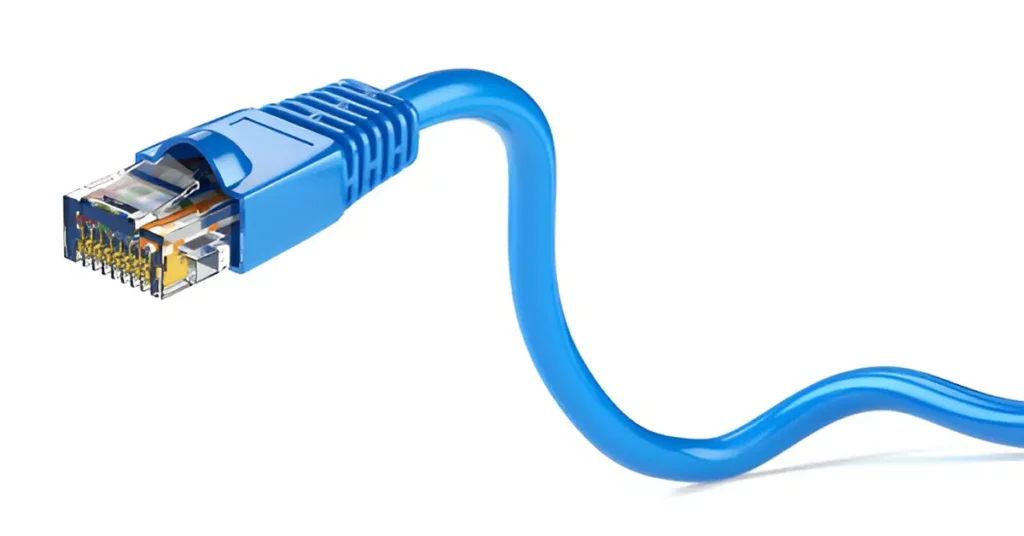
Ethernet connections deliver data directly from your router to your device. Wi-Fi sends data through the air, where walls, distance, and interference slow things down.
Why wired beats wireless
- Lower latency
- Fewer dropped packets
- More consistent speeds
The FCC and major router manufacturers agree that wired connections provide the most reliable performance for real-time applications like gaming and video calls.
Quick fix:
Plug an Ethernet cable into your console or PC. Even a basic cable improves stability instantly.
2. Restart Your Modem and Router (Yes, Really)
This sounds too simple. It works anyway.
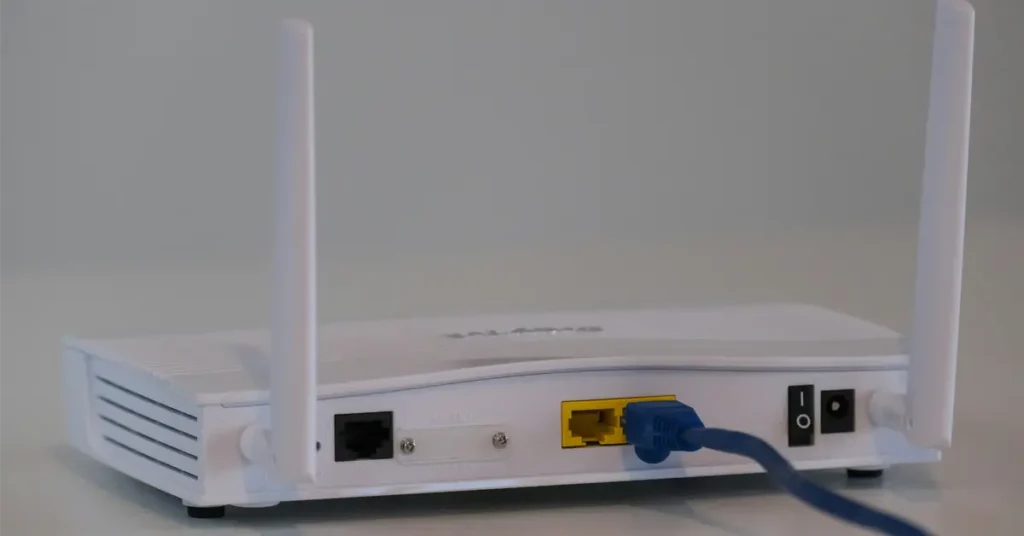
Routers store temporary data, manage connections, and assign IP addresses. Over time, memory fills up and performance drops. Restarting clears that clutter.
How often should you restart?
Networking experts recommend restarting home networking equipment at least once every few weeks.
Do this properly:
- Turn off your modem and router
- Wait 30 seconds
- Turn the modem back on
- Turn the router back on
Your connection often feels smoother right away.
3. Close Background Apps and Downloads
Your game does not enjoy sharing bandwidth.
Streaming services, cloud backups, system updates, and even browser tabs compete for internet resources. When they pull data, your game waits.
According to Microsoft, Sony, and Valve, background downloads remain one of the most common causes of lag during gameplay.
What to check
- Game launchers updating in the background
- Streaming apps running silently
- Cloud sync tools like Google Drive or OneDrive
Quick rule:
If it uses the internet and you do not need it right now, close it.
4. Choose the Right Game Server Region
Distance matters online.
Data travels at nearly the speed of light, but it still takes time. When you connect to a server far from your location, latency increases.
Most competitive games allow server selection or automatically connect to nearby regions. Sometimes, the automatic choice fails.
What lower ping means
- Faster response time
- Less input delay
- More accurate gameplay
According to Cloudflare’s networking documentation, shorter physical distance between user and server usually equals better performance.
Fix:
Manually select the closest server region whenever possible.
5. Update Your Network Drivers and System Software
Outdated software causes more problems than people realize.
Network drivers control how your system communicates with your hardware. Old drivers can introduce bugs, compatibility issues, and reduced efficiency.
Major hardware companies like Intel, AMD, and Realtek regularly release updates that improve performance and stability.
What to update
- Network adapter drivers
- Operating system updates
- Console firmware
Tip:
Install updates before gaming sessions, not during them.
6. Adjust In-Game Network and Graphics Settings
High settings look great. They also stress your system.
Even online lag sometimes connects to graphics overload. When your system struggles to render frames smoothly, it delays data processing.
Game developers at studios like Ubisoft and Epic Games recommend balancing visuals with performance, especially in competitive titles.
Settings worth adjusting
- Lower shadows and effects
- Disable motion blur
- Turn off unnecessary overlays
- Reduce network packet rate if available
Smooth gameplay beats ultra visuals every time.
7. Check Your Internet Speed and Ping
Speed matters less than stability, but it still matters.
Online games require consistent download and upload speeds, along with low ping. The FCC states that latency matters more than raw speed for real-time gaming.
Recommended baseline for gaming
- Download: 10–25 Mbps
- Upload: 3–5 Mbps
- Ping: Under 60 ms for smooth play
If your speeds fall short, contact your internet provider or adjust usage during gaming hours.
Common Myths About Online Gaming Performance
Let’s clear up a few popular misconceptions.
Myth: Faster internet always fixes lag
Reality: High speed with high latency still feels bad.
Myth: Expensive routers guarantee smooth gaming
Reality: Placement and configuration matter more than price.
Myth: Gaming VPNs always improve ping
Reality: VPNs can help routing in rare cases, but they often increase latency.
Facts beat marketing every time.
Small Tweaks That Add Up
Sometimes improvement comes from stacking small wins.
- Place your router in an open, central location
- Avoid peak internet hours when possible
- Limit the number of connected devices
- Use Quality of Service (QoS) settings if available
Router manufacturers like Netgear and TP-Link include QoS features specifically for gaming traffic.
Why These Fixes Actually Work
Every fix in this guide focuses on one core goal. Reduce delay between you and the game server.
Network engineers prioritize:
- Stability over speed
- Consistent packet delivery
- Low jitter and latency
These principles drive how ISPs, data centers, and cloud providers design modern networks. You simply apply the same logic at home.
Final Thoughts
Smooth online gaming does not require magic settings or expensive upgrades. It requires understanding how data moves and removing obstacles along the way.
Start with the easiest fixes. Wired connections. Clean networks. Updated software. Balanced settings. Each step improves performance on its own. Together, they transform gameplay.
Lag should challenge your opponents, not your patience.
Apply these seven easy fixes for smoother online gaming, and enjoy matches that feel fair, fast, and frustration-free.
Ready to Level Up Your Gaming Experience?
Start with one fix today and work your way through the list. If this guide helped you, share it with your gaming friends or teammates so everyone can enjoy lag-free matches together.